Practical PDF guide · Windows
How to add a signature image, text and highlights to a PDF
Sometimes a PDF needs a short review comment, a highlighted line or a visible signature before it is returned. PageDesk's markup tools let you add those elements to a page. This guide uses a fictional agreement so you can see the workflow without exposing a real document or signature.
By Pathwork Solutions LLC · Updated October 26, 2026
Follow the workflow
Open the page and its markups
Open the PDF, navigate to the relevant page and choose Markups. Review the original content before placing anything over it.
Add a review comment
Choose Add text, place a text box and enter your comment. Position the text where it does not obscure the original. Add text creates new content; it does not rewrite the underlying sentence.
Highlight an important detail
Choose Highlight and mark the line you want the reader to notice. Keep the highlight focused so the original words remain readable.
Place a visual signature
Choose Signature and select or create the signature you are authorized to use. Drag a box in the intended signature area. Check its size and position. Use a fictional sample while learning.
Save and verify the reviewed copy
Save As with a new filename. Reopen the PDF and inspect the text, highlight and signature. If it will be printed or opened elsewhere, check that final result too.
Check the result
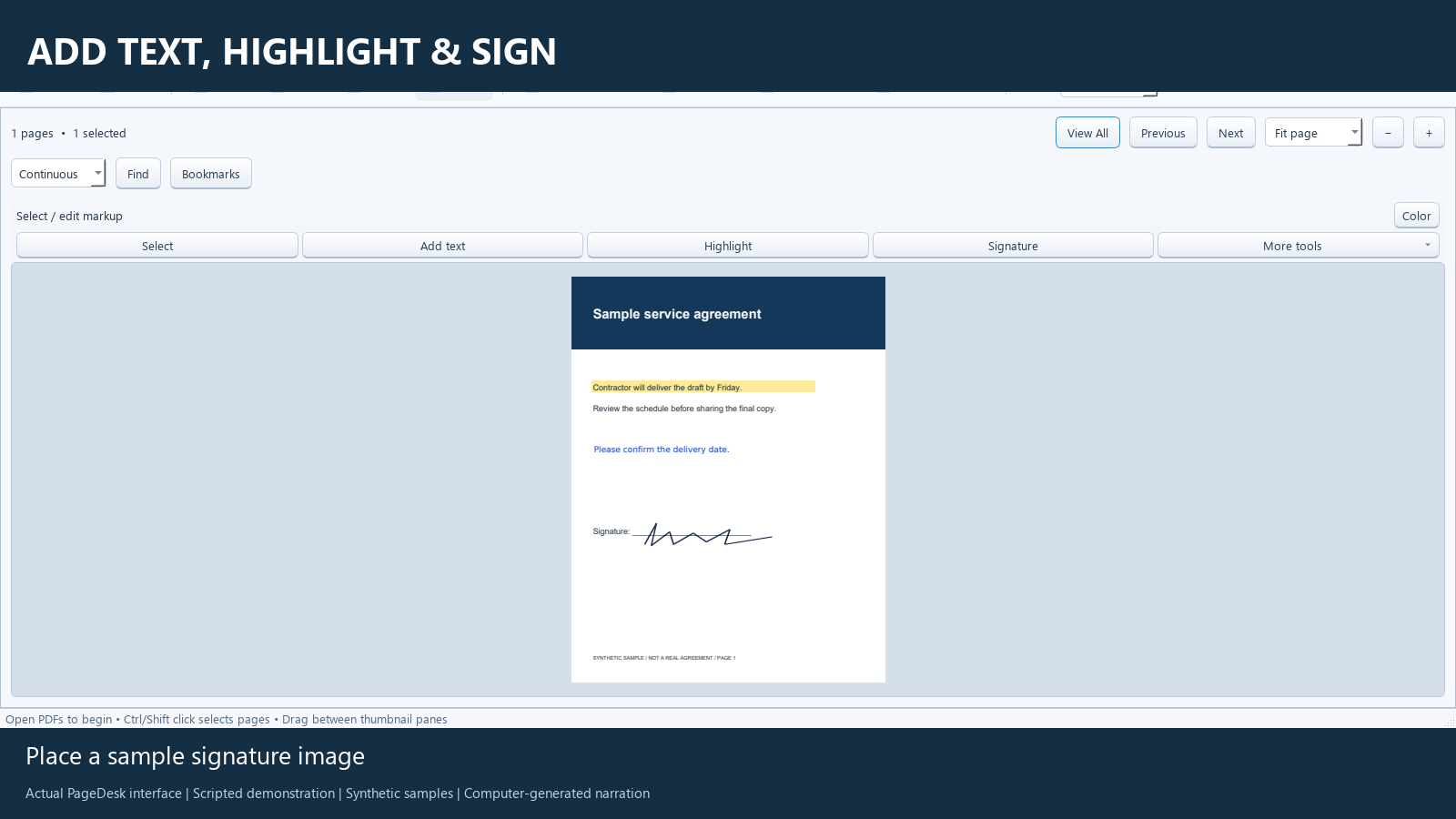
The sample demo adds a delivery-date comment, highlights a sentence and places a fictional signature image. Those elements are checked after saving and reopening the reviewed PDF.
Know the limits
A visual signature image is not a certificate-based digital signature and does not provide certificate validation or tamper-evidence. Ask the recipient what signing method they require. Keep your saved signature private and share only the document you intend to send.
Common questions
Does Add text change the original words?
No. It places a new annotation on the page. It is useful for comments and additions, not rewriting the original paragraph.
Is a signature image a digital certificate?
No. This workflow places a visual signature image. It does not create a certificate-based signature.
Use PageDesk for this workflow
PageDesk is a Windows PDF workspace for reading, organizing and marking up documents. It is $49.99 USD for one user, paid once for this release.
Windows 11 x64 tested. Installer is unsigned. No free trial is offered. Review the 30-day refund policy and license terms.